The Binomial Generalized Linear Model

Recap of normal linear models

Simple linear model

No random effects

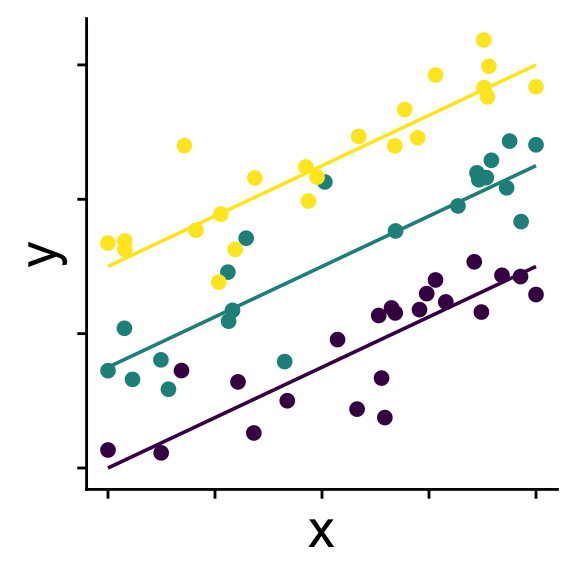
Linear model with random intercepts

Groups (usually > 3) affect intercepts

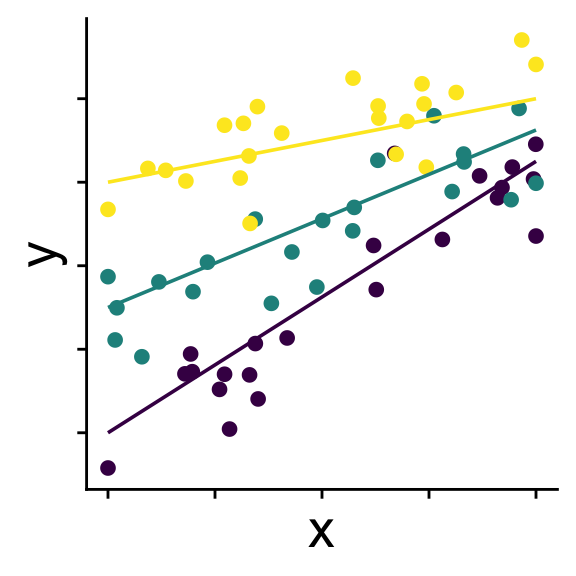
Linear model with random slopes

Groups (usually > 3) affect intercepts and slopes

Recap of normal linear models

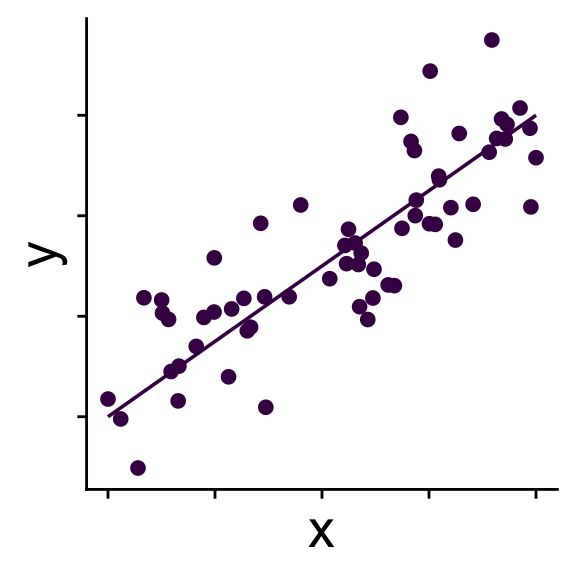
Simple linear model

\[ \begin{aligned} \bar{y} &= b_0 + b_1 x \\ y_i &\sim \mathcal{N}(\bar{y},~\sigma) \end{aligned} \]

Recap of normal linear models

Linear model with random intercepts

\[ \begin{aligned} r_{0}^{(group~k)} &\sim \mathcal{N}(0,~\sigma_{r_0}) \\ \bar{y} &= b_0 + r_0^{(group~k)} + b_1 x \\ y &\sim \mathcal{N}(\bar{y},~\sigma) \end{aligned} \]

Recap of normal linear models

Linear model with random slopes

\[ \begin{aligned} r_0^{(group~k)} &\sim \mathcal{N}(0,~\sigma_{r_0}) \\ r_1^{(group~k)} &\sim \mathcal{N}(0,~\sigma_{r_1}) \\ \bar{y} &= b_0 + r_0^{(group~k)} + (b_1 + r_1^{(group~k)}) x \\ y &\sim \mathcal{N}(\bar{y},~\sigma) \end{aligned} \]

(technically we usually model a correlation term between \(r_0\) and \(r_1\))

Recap of normal linear models


But what’s so special about normal distribution?

…nothing, we can use other distributions

Introducing: generalized linear models


When we use a distribution other than a normal we call our model a generalized linear model

We’ll start with the binomial as an example

Binomial generalized linear models

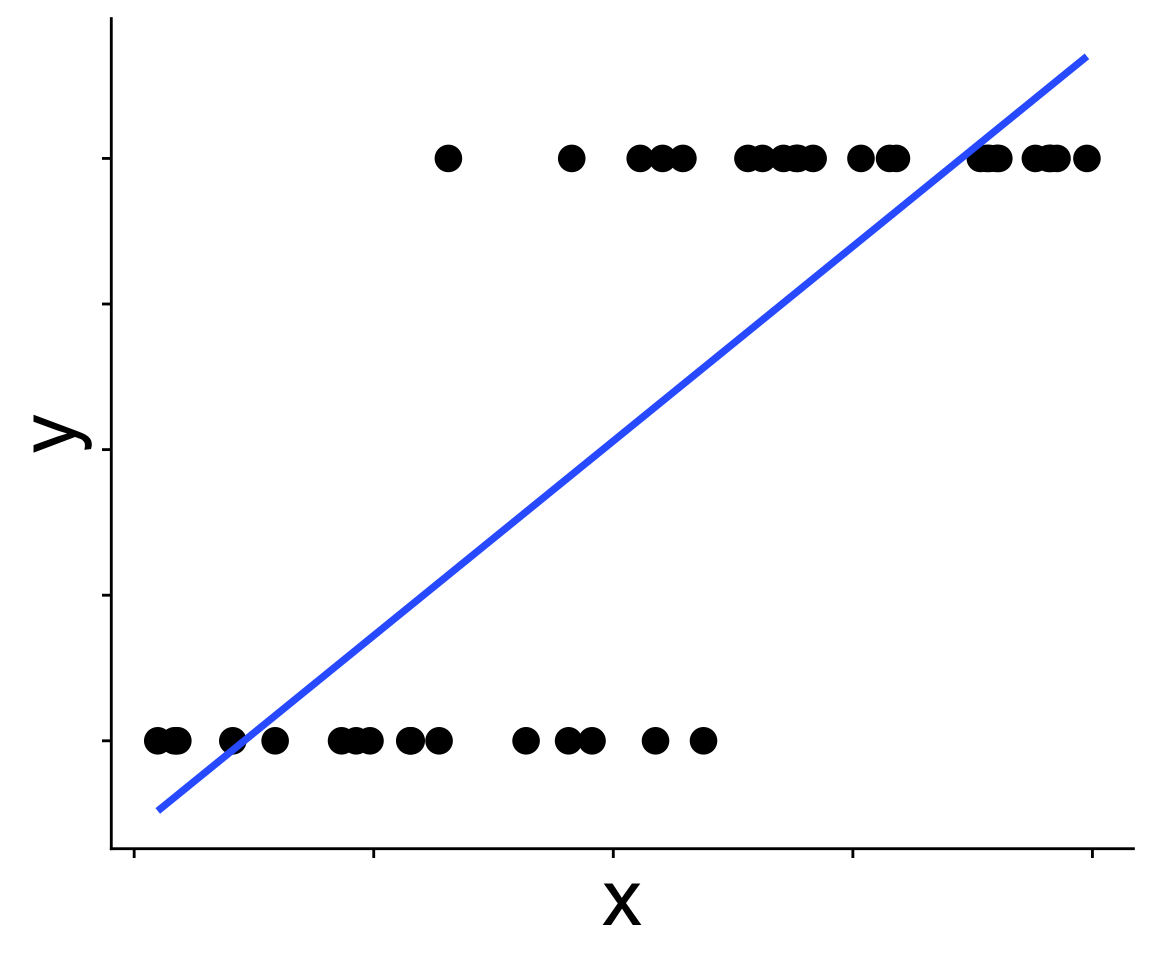
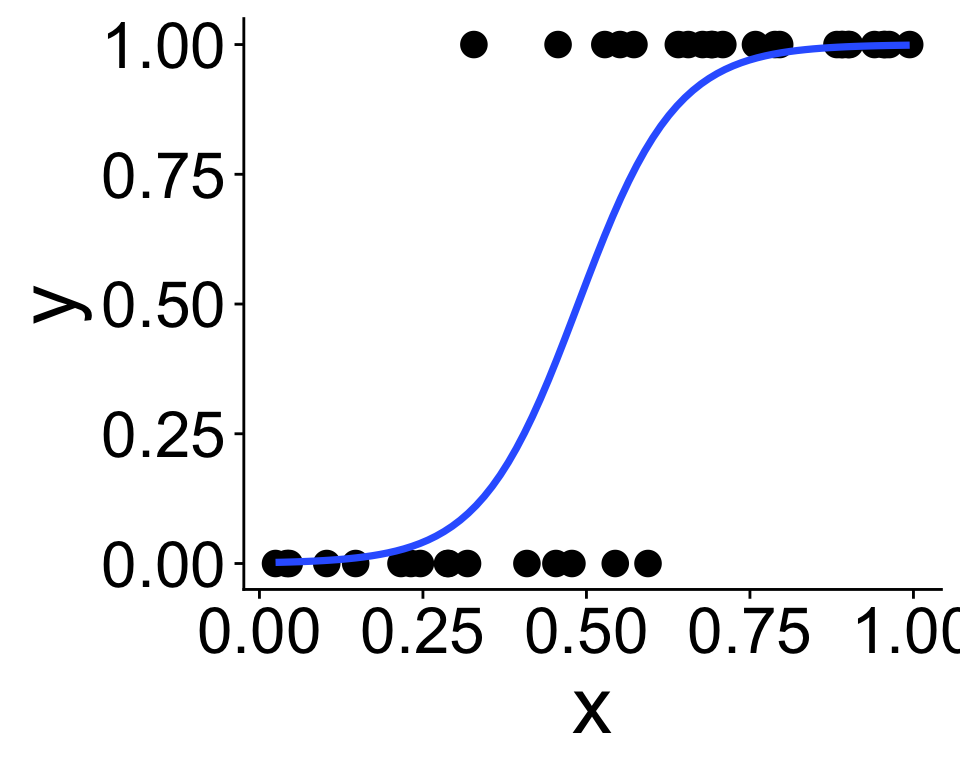
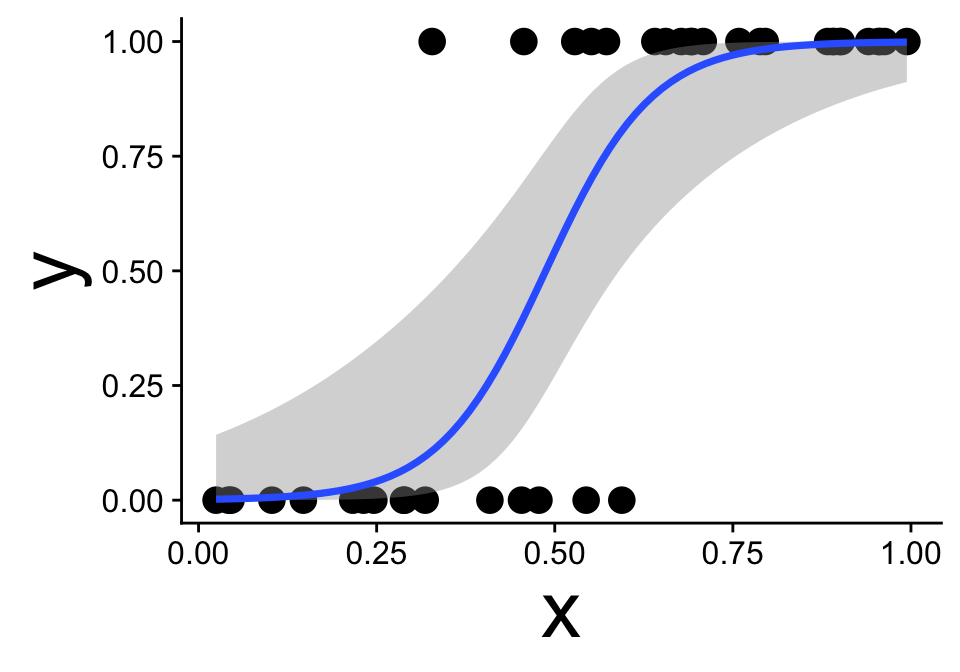
These data are not normal, and fitting a straight line doesn’t make sense

Binomial generalized linear models

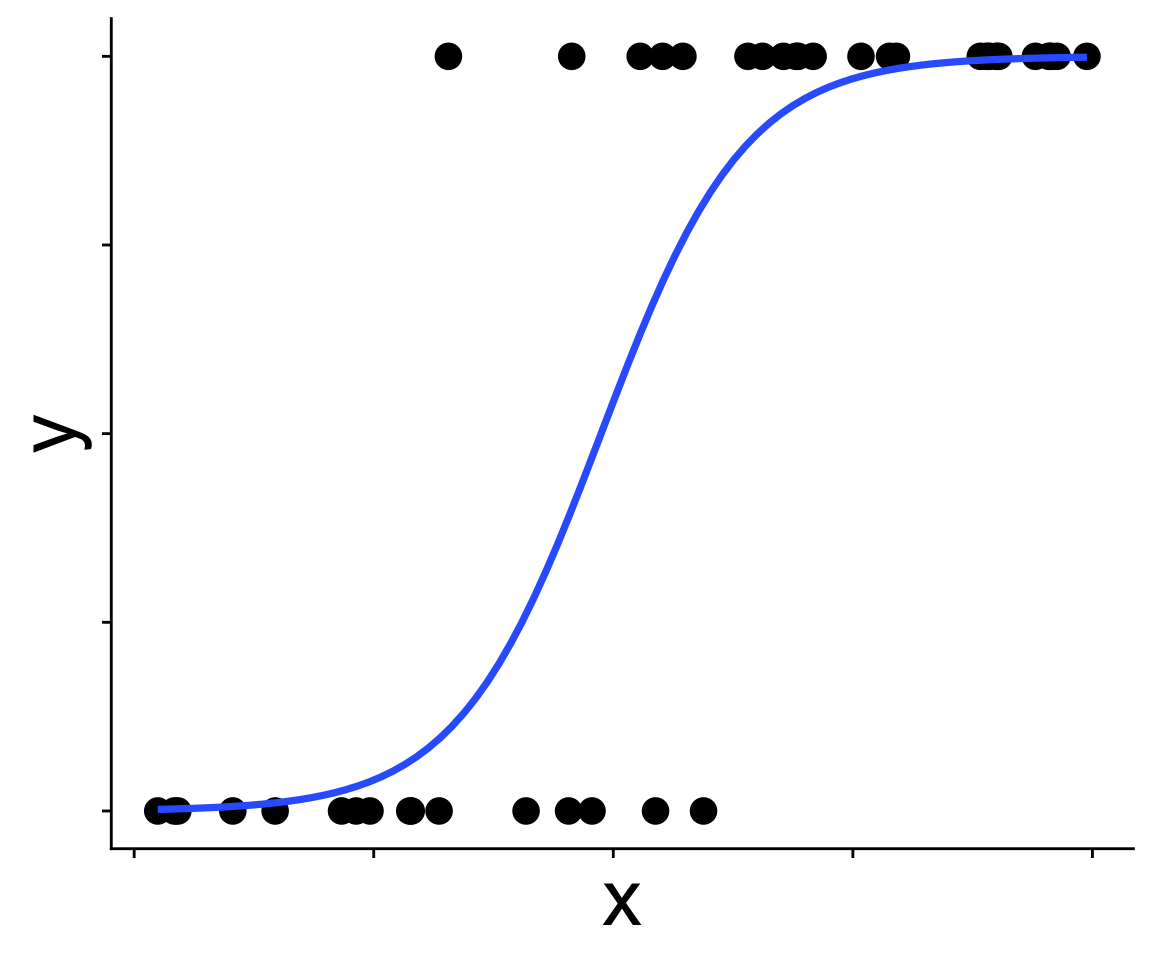
Recognizing a binomial distribution and a model bounded between [0, 1] makes more sense

Binomial generalized linear models

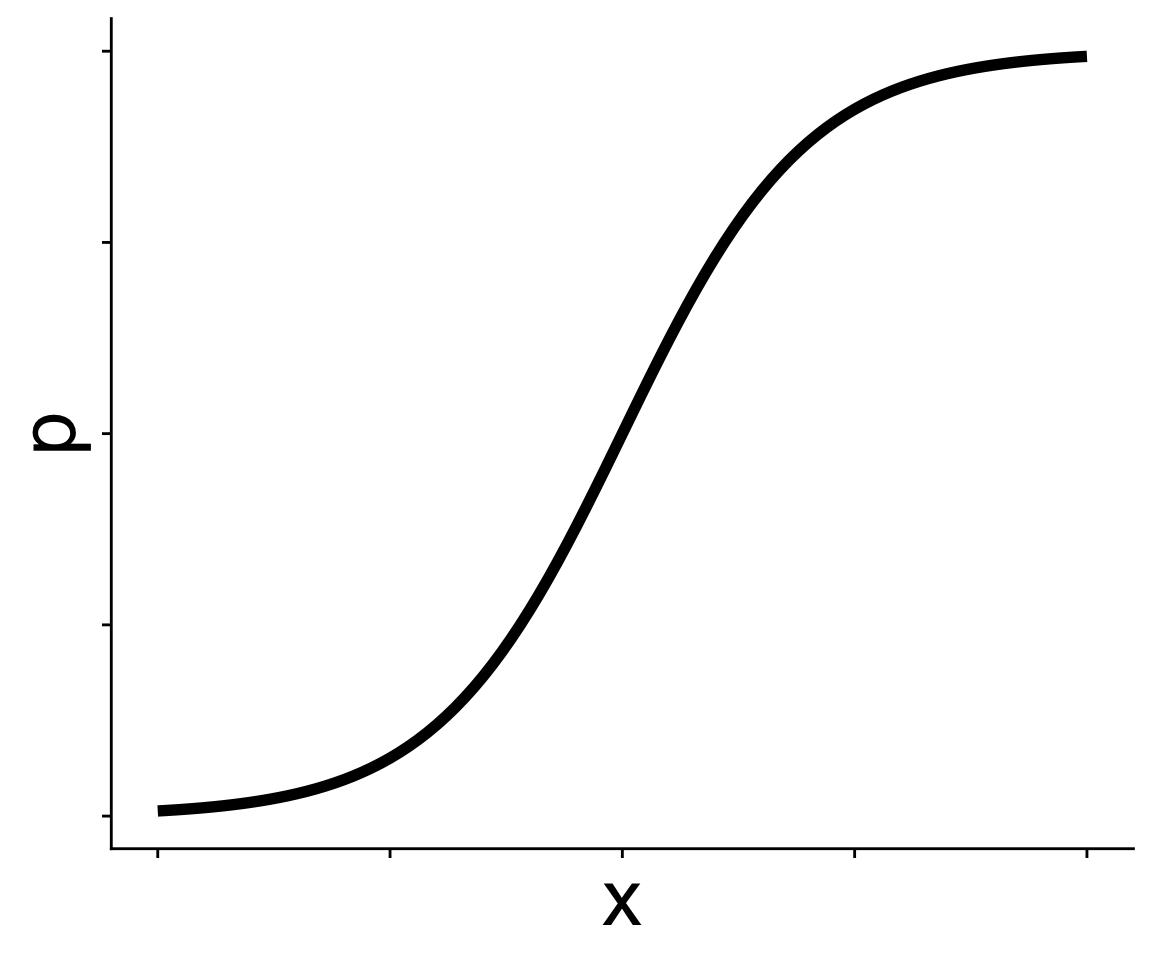
We’ve been here before: modeling presence/absence across a gradient using “expit” and “logit” functions

\[ p = \frac{1}{1 + e^{-(b_0 + b_1 x)}} \]

In GLM this kind of equation is called the link function

And we can use \(p\) in a binomial distribution

\[ y \sim \text{Binom}(p,~N = 1) \]

Generalized linear models in R: glm


How do we fit GLMs in R, why with the glm function!

mod <- glm(y ~ x, data = dat, family = binomial)

Compared to lm there is one new thing: family = binomial

The argument family = binomial tells glm two things:

  1. we’re assuming a binomial distribution
  2. we want to use a logit link function (though other link functions are available)

Interpreting coefficients


We can see the coefficients like this

coefficients(mod)
(Intercept)           x 
  -6.477281   13.293045 

But what do they mean?

How could intercept be -6.477?

Interpreting coefficients


We can see the coefficients like this

coefficients(mod)
(Intercept)           x 
  -6.477281   13.293045 

But what do they mean?

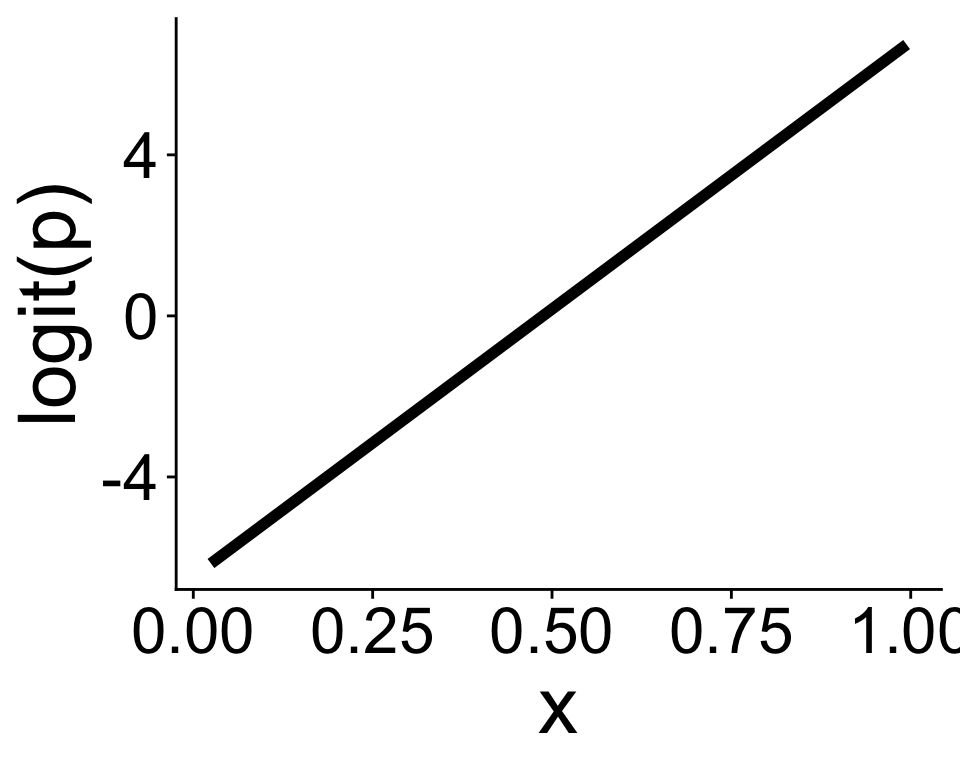
Coefficients make sense on link function scale

Visualizing the model and data

ggplot2 is ready to help

ggplot(dat, aes(x, y)) +
    geom_point() +
    geom_smooth(method = "glm",
                method.args = list(family = binomial))

(with some extra modification)

Visualizing the model and data

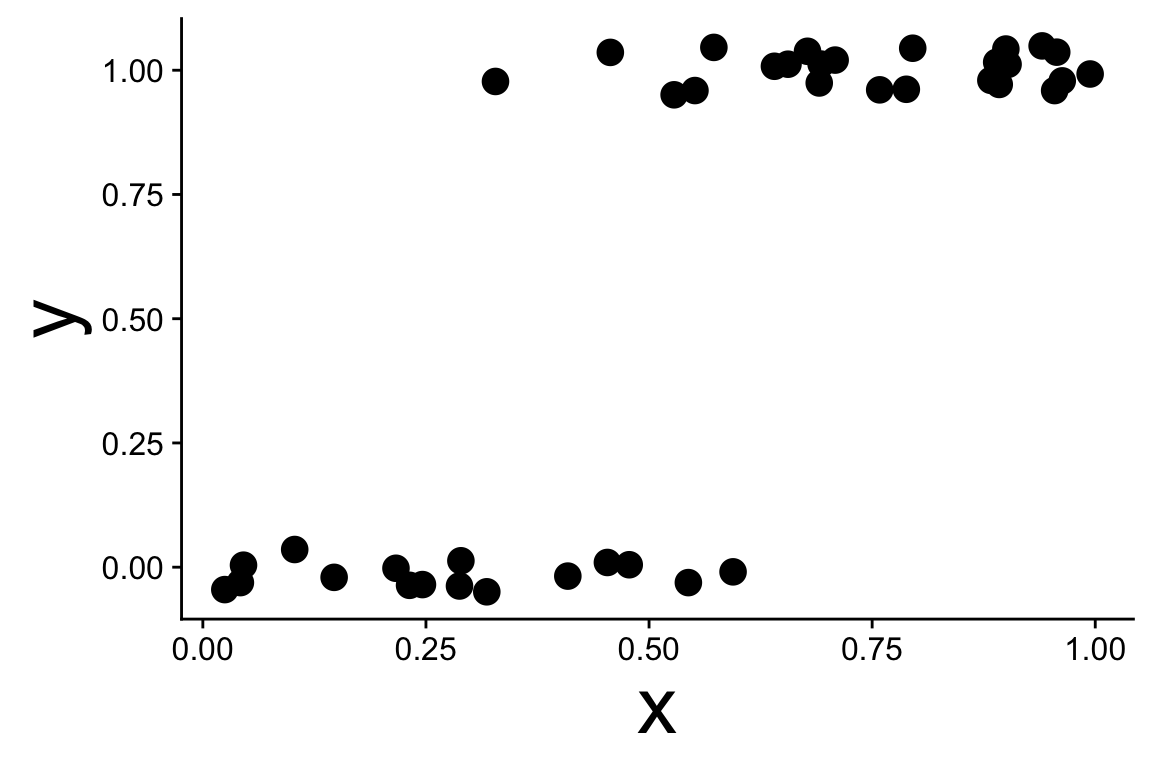
Common issue: points can be hard to see

  • Jitter can help
# only in vertical direction
ggplot(dat, aes(x, y)) +
    geom_jitter(width = 0, height = 0.05) 


Visualizing the model and data

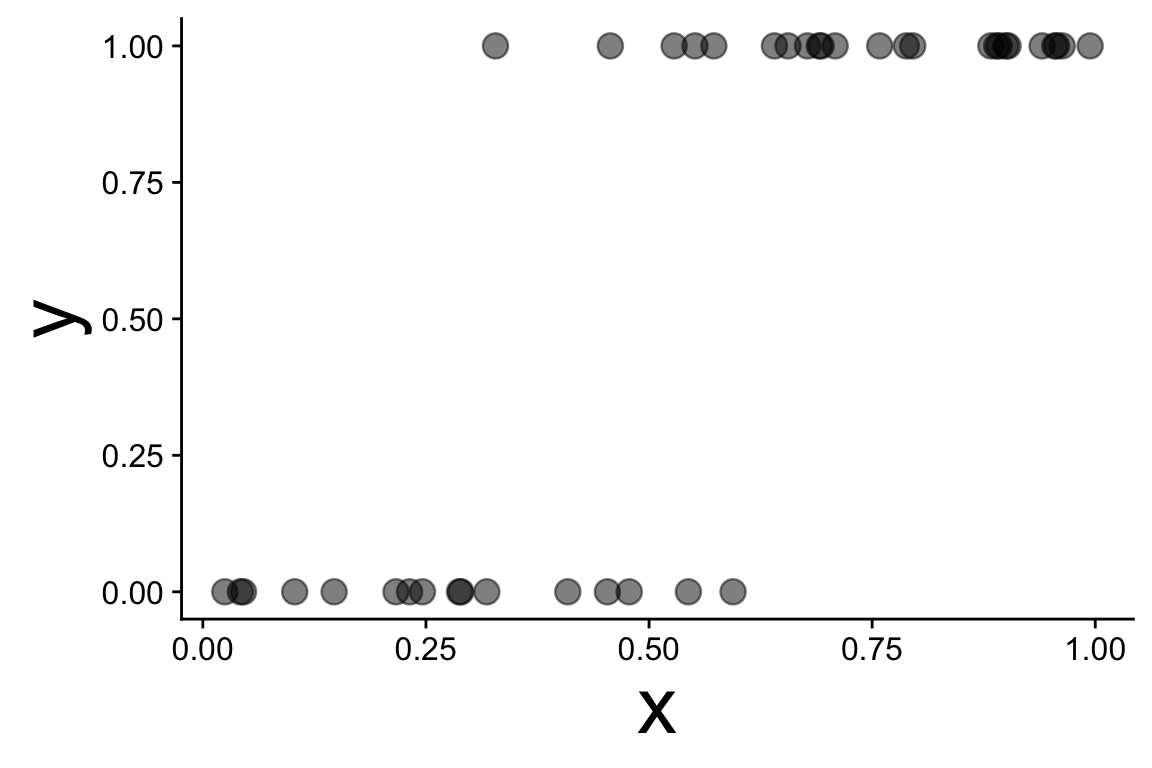
Common issue: points can be hard to see

  • Jitter can help
  • Transparency is an option
ggplot(dat, aes(x, y)) +
    geom_point(alpha = 0.5) 


Visualizing the model and data

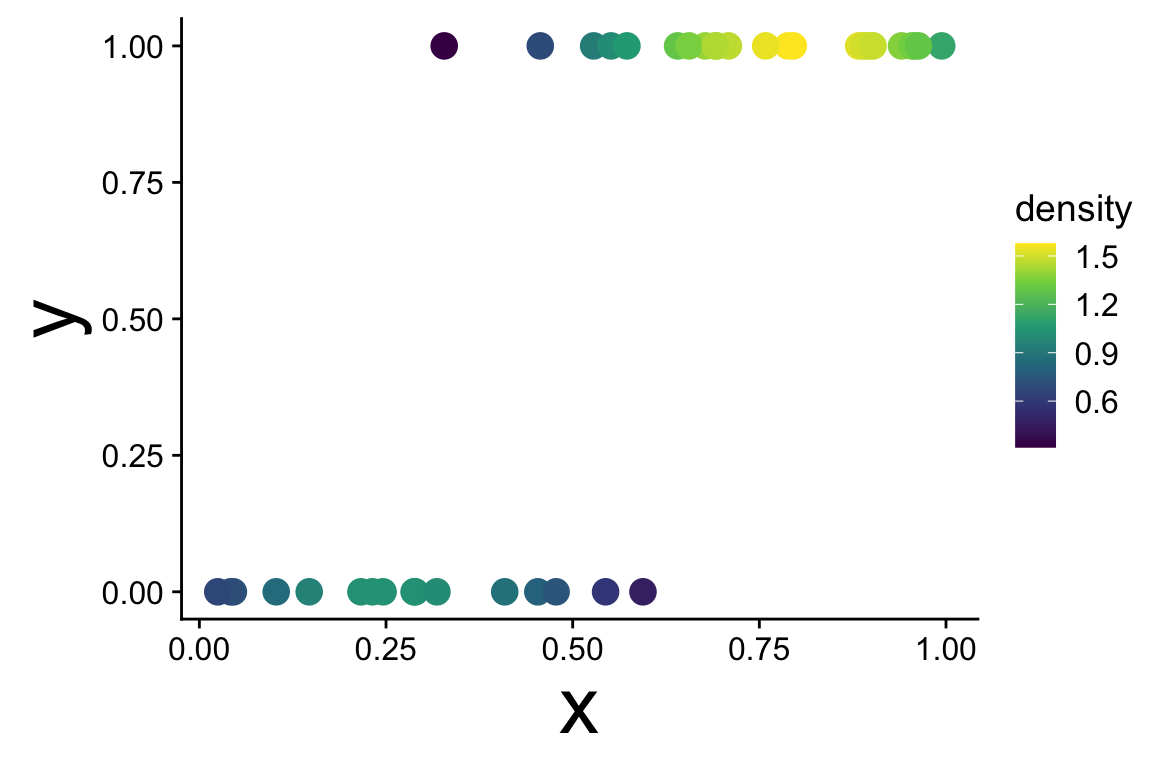
Common issue: points can be hard to see

  • Jitter can help
  • Transparency is an option
  • Visualizing local density is pretty
library(ggpointdensity)
ggplot(dat, aes(x, y)) +
    geom_pointdensity(method = "kde2d") +
    scale_color_viridis_c()


Visualizing the model and data

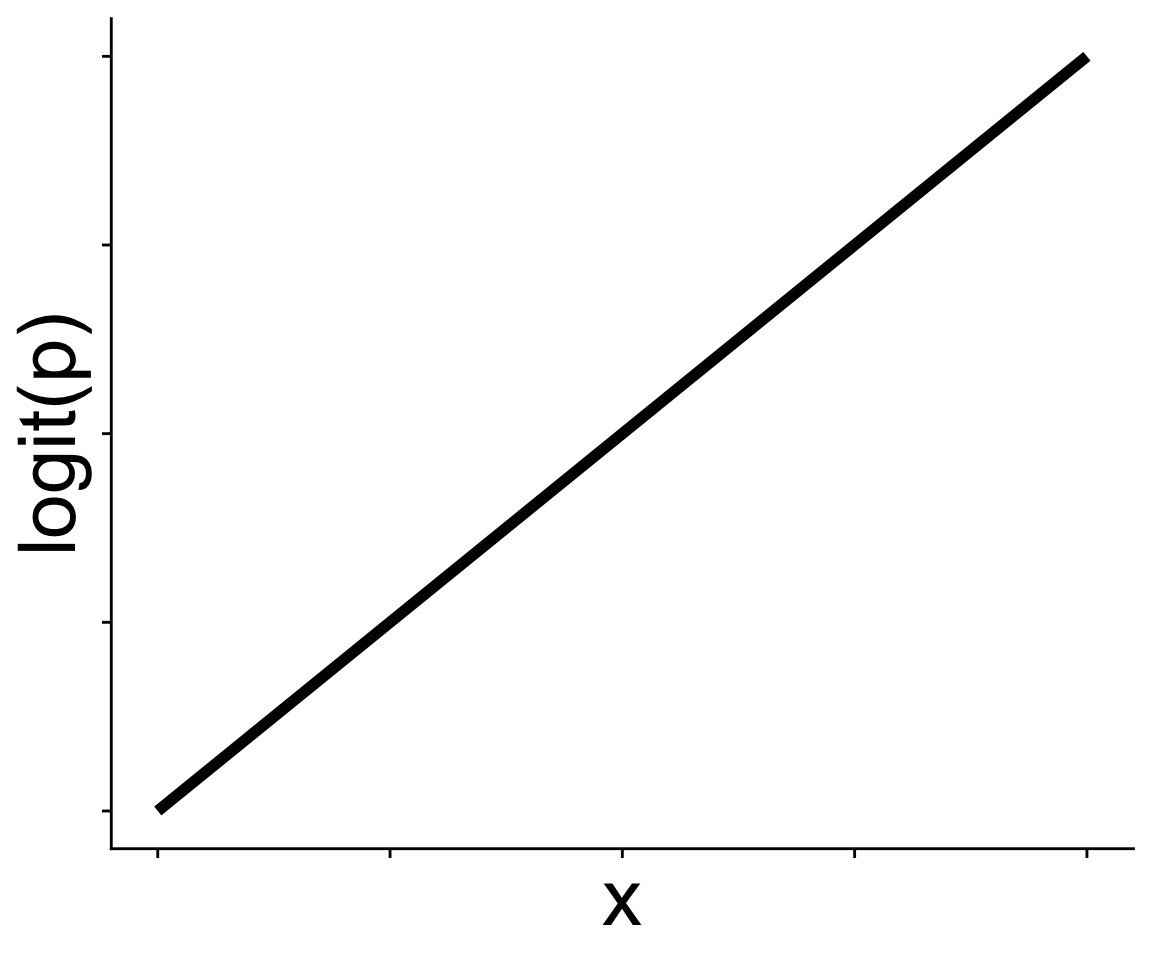
Let’s look at the link function in two ways

  1. With the expit equation
# get link function intercept and slope
bb <- coefficients(mod)
bb

# write a function for the equation
my_probit <- function(x, intercept, slope) {
    intercept + slope * x
}

# use `geom_function`
ggplot(data.frame(x = 0:1, y = 0:1), aes(x, y)) +
    geom_function(fun = my_probit, 
                  args = list(intercept = bb[1], 
                              slope = bb[2])) +
    ylab("logit(p)")

Visualizing the model and data

Let’s look at the link function in two ways

  1. With the predicted values for logit(p)
# function `predict` gives us model predictions
# `type = link` says, give us predictions on link function scale
logitp_hat <- predict(mod, type = "link")
head(logitp_hat)

# add a column for logit(p) and you're ready to plot!
ggplot(mutate(dat, logitp = logitp_hat), 
       aes(x, logitp)) +
    geom_line(linewidth = 2) +
    ylab("logit(p)")

Visualizing the model and data

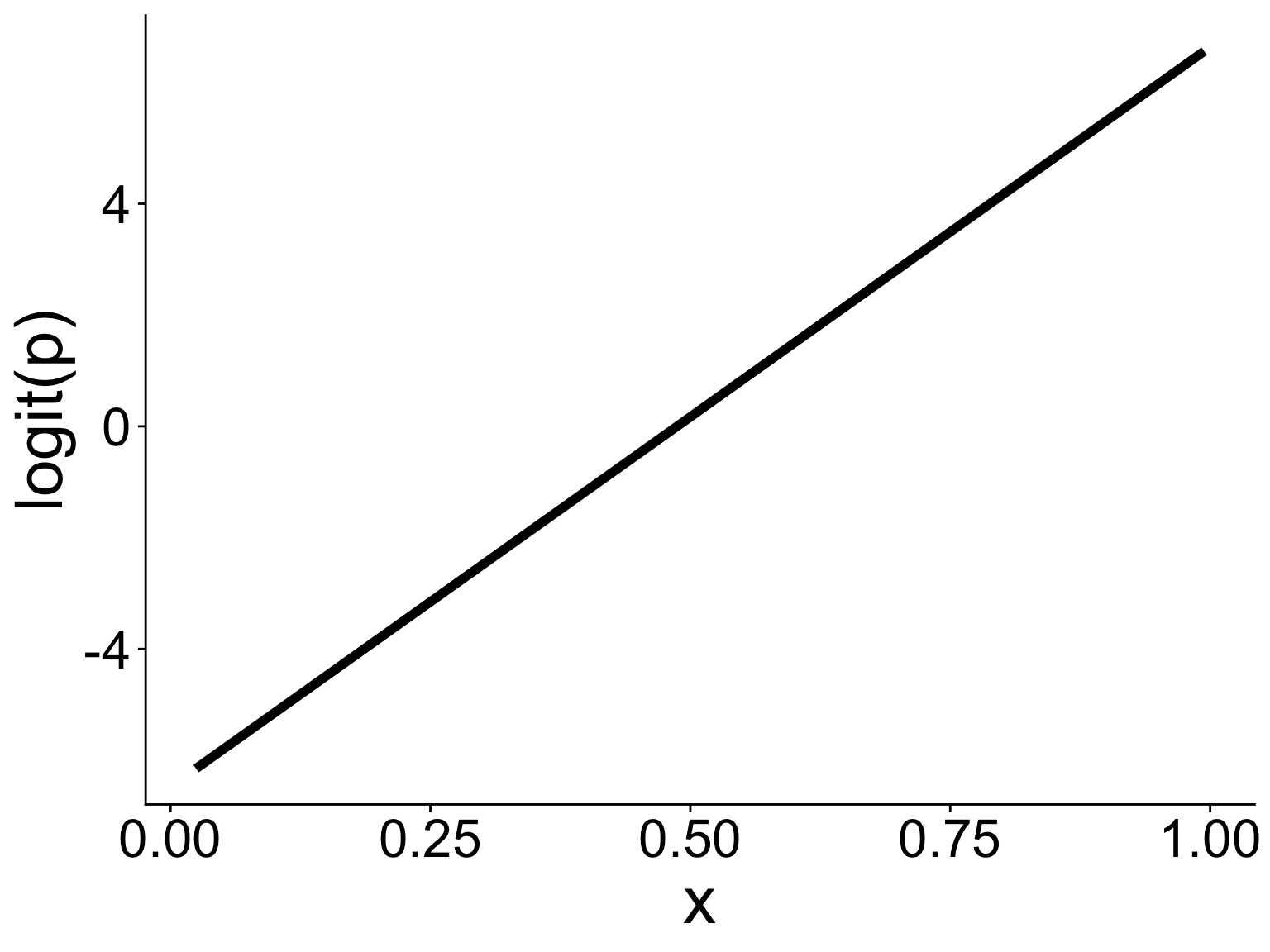
Either way gives you this graph

Binomial GLM: Use cases

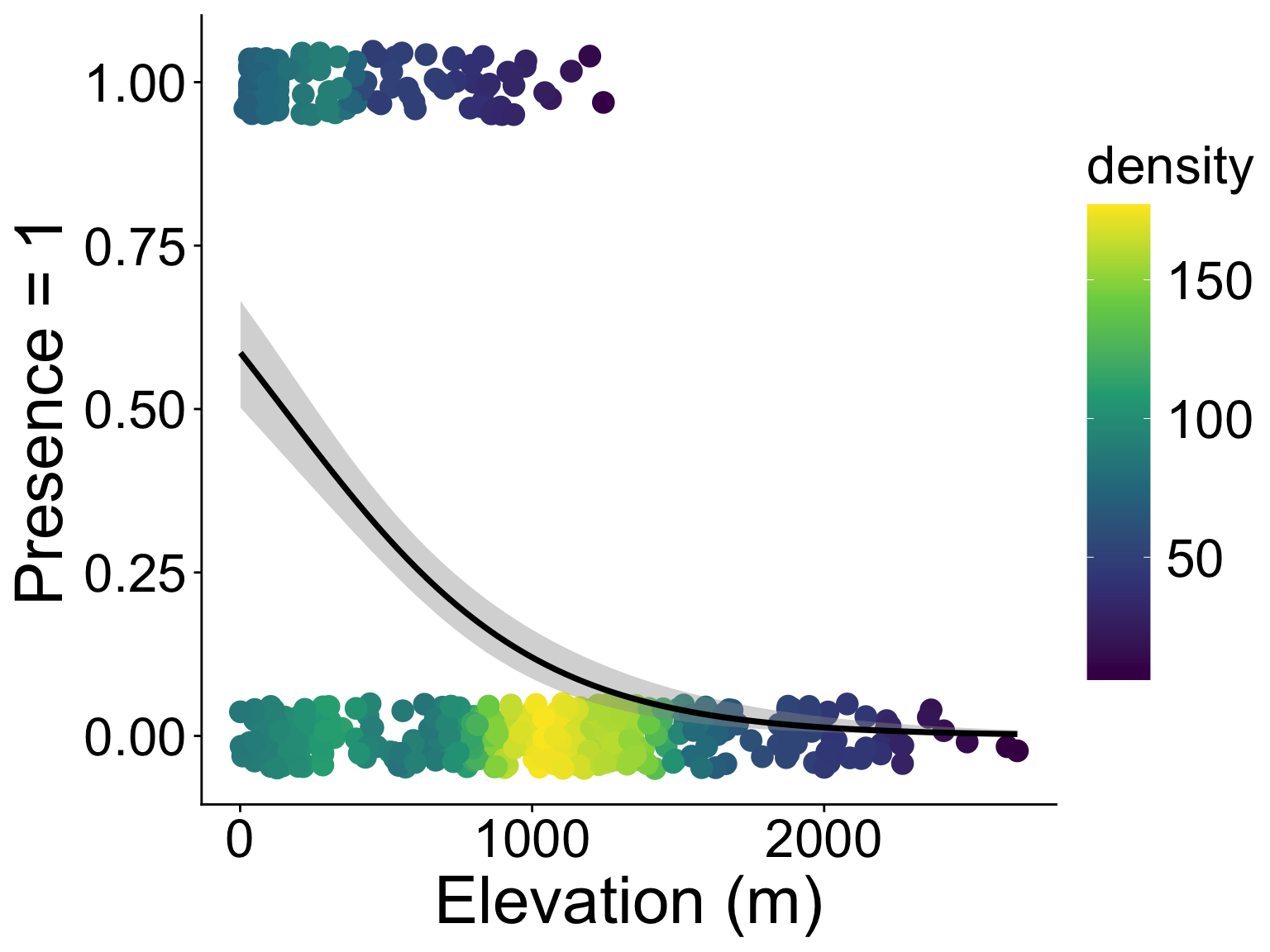
presence/absence, e.g., where is the strawberry guava?

# i did some data prep already
head(stra_gua) |> kable()
PlotID elev_m any_gua num_gua num_tre
1 395.1798 1 6 75
2 129.6578 1 6 80
3 129.6578 0 0 37
4 129.6578 1 50 100
5 129.6578 1 49 99
6 129.6578 1 1 64
glm(any_gua ~ elev_m, 
    data = stra_gua, 
    family = binomial)

Binomial GLM: Use cases

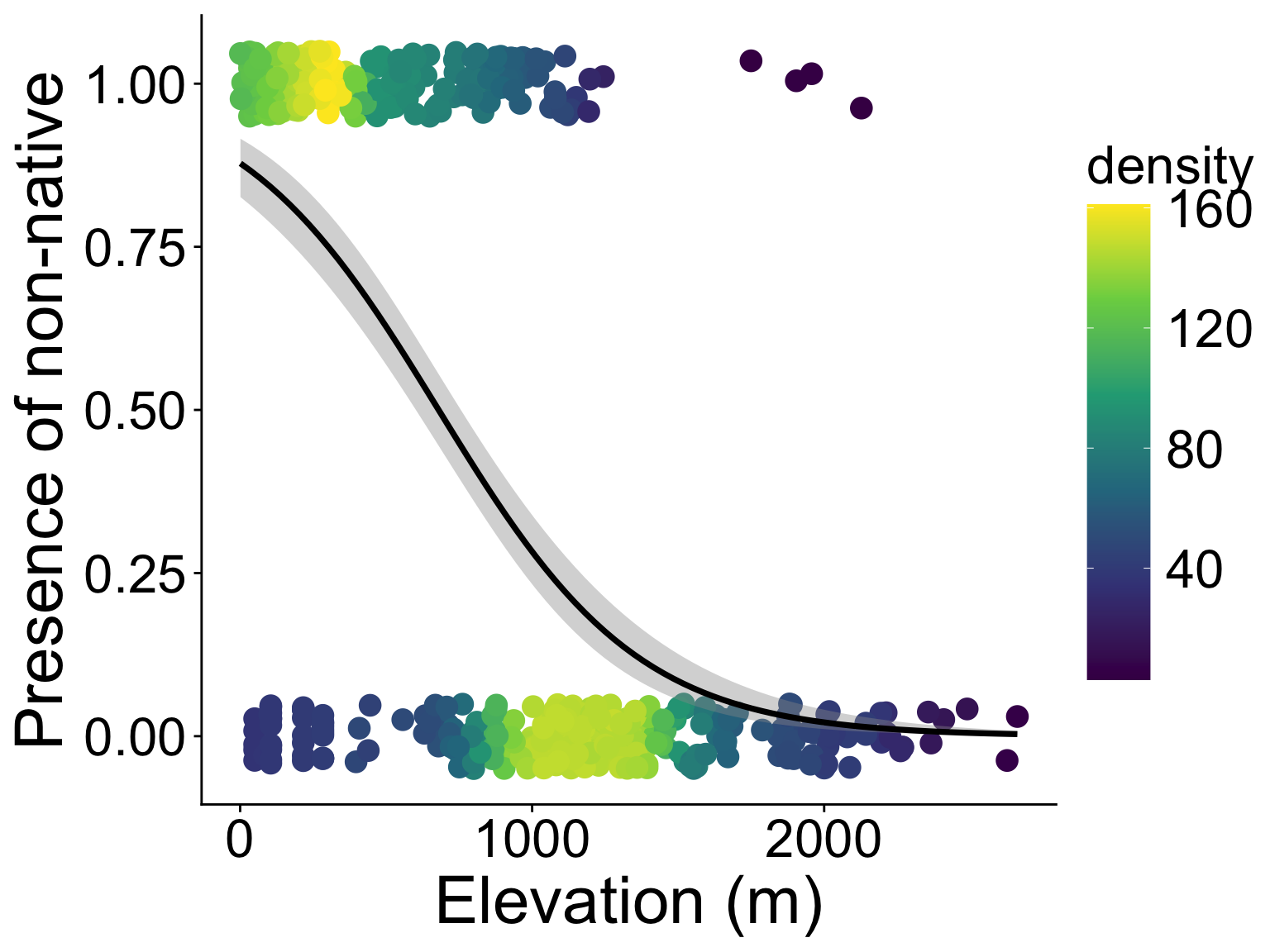
binary property, e.g., non-native or native?

# i did some data prep already
head(tree_plot) |> kable()
PlotID elev_m any_non num_non num_tre
1 395.1798 1 9 75
2 129.6578 1 7 80
3 129.6578 1 1 37
4 129.6578 1 56 100
5 129.6578 1 49 99
6 129.6578 1 23 64
glm(any_non ~ elev_m, 
    data = tree_plot, 
    family = binomial)

coefficients(mn)

Binomial GLM: Use cases

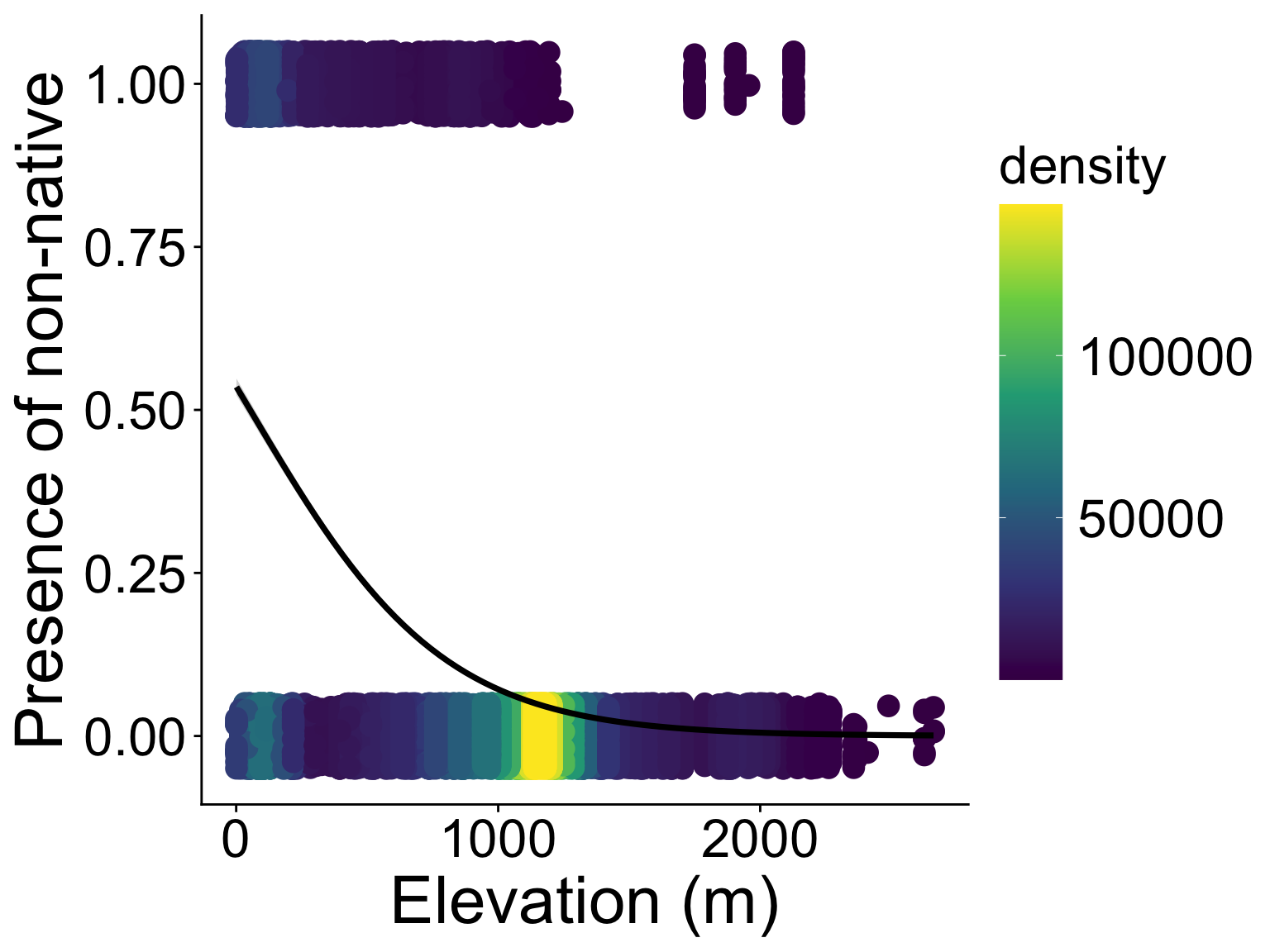
binary property, wait, aren’t we wasting tree-level data?

# i did some data prep already
head(tree_stem) |> kable()
PlotID elev_m non_nat
2 129.6578 0
2 129.6578 0
2 129.6578 0
2 129.6578 0
2 129.6578 0
2 129.6578 0
glm(non_nat ~ elev_m, 
    data = tree_stem, 
    family = binomial)

Binomial GLM: Use cases

binary property, e.g., non-native or native?


No that wasn’t a good idea—pseudo replication in plots


But before you go thinking of random effects


Remember, within each plot is like a binomial sample:

  • “successes”: number of non-native trees
  • total size: number of all trees

Binomial GLM: Use cases

number of successes vs. failures, back to plot-level data

head(tree_plot) |> kable()
# hint: scroll right
PlotID elev_m any_non num_non num_tre
1 395.1798 1 9 75
2 129.6578 1 7 80
3 129.6578 1 1 37
4 129.6578 1 56 100
5 129.6578 1 49 99
6 129.6578 1 23 64
# wants a matrix (from cbind) of num success and num failure
glm(cbind(num_non, num_tre - num_non) ~ elev_m, 
    data = tree_plot, 
    family = binomial)

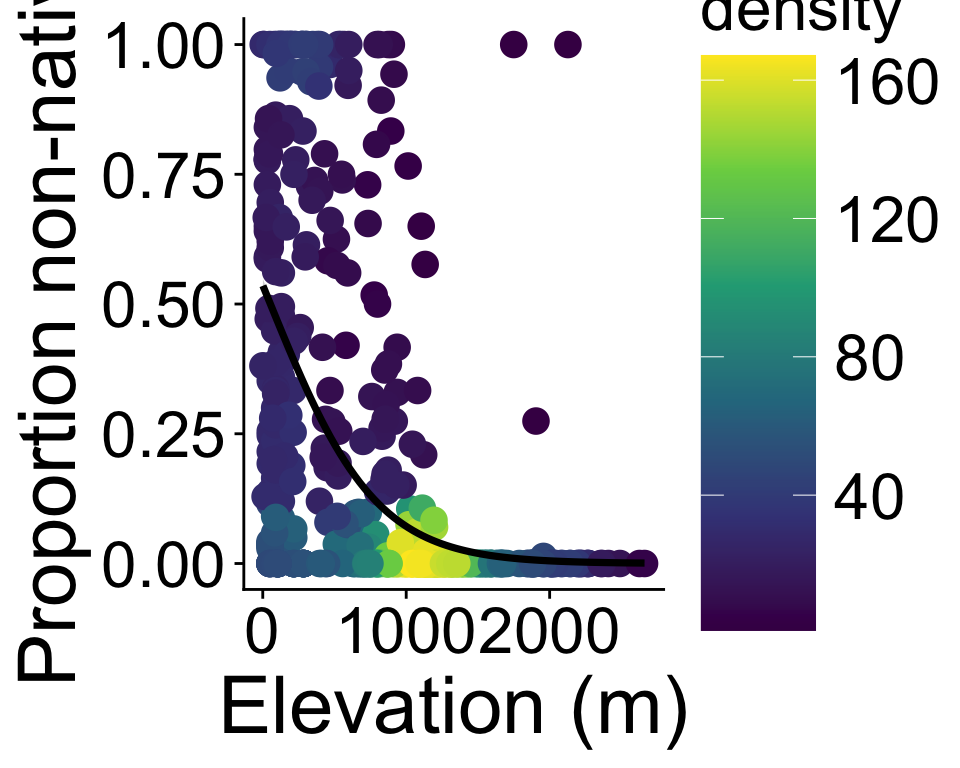
Plotting is more convoluted so let’s go into it more

Binomial GLM: Use cases

number of successes vs. failures, back to plot-level data

ggplot(tree_plot, aes(elev_m, num_non / num_tre, 
                      # include `success` and `failure`
                      # for use in `geom_smooth`
                      success = num_non, 
                      failure = num_tre - num_non)) +
    geom_pointdensity() +
    scale_color_viridis_c() +
    geom_smooth(method = "glm", color = "black",
                # need to add a specific formula
                formula = cbind(success, failure) ~ x,
                method.args = list(family = binomial))

Binomial GLM: Use cases

number of successes vs. failures, back to plot-level data
(with some extra beautifying)